Guides
Is there an app like Beli for snacks and groceries?
Beli tracks restaurant favorites; finds applies a personal ranking habit to snacks and grocery products. Choose by what you want to remember, then start with exact flavors.
By finds editorial · 5 min read ·
your taste • app guide
checked september 7, 2026
Yes. finds is a free iOS app for recording and ranking snacks and grocery products you have tried, from any brand or store. Save a product before tasting it, then compare it with familiar favorites after you try it. Beli's own homepage describes tracking and sharing favorite restaurants with friends.
This is a comparison of the jobs the apps describe, checked September 7, 2026. finds publishes this article. It is not a claim that the apps share an account, ranking formula or import system.
Restaurant memories and grocery memories need different details
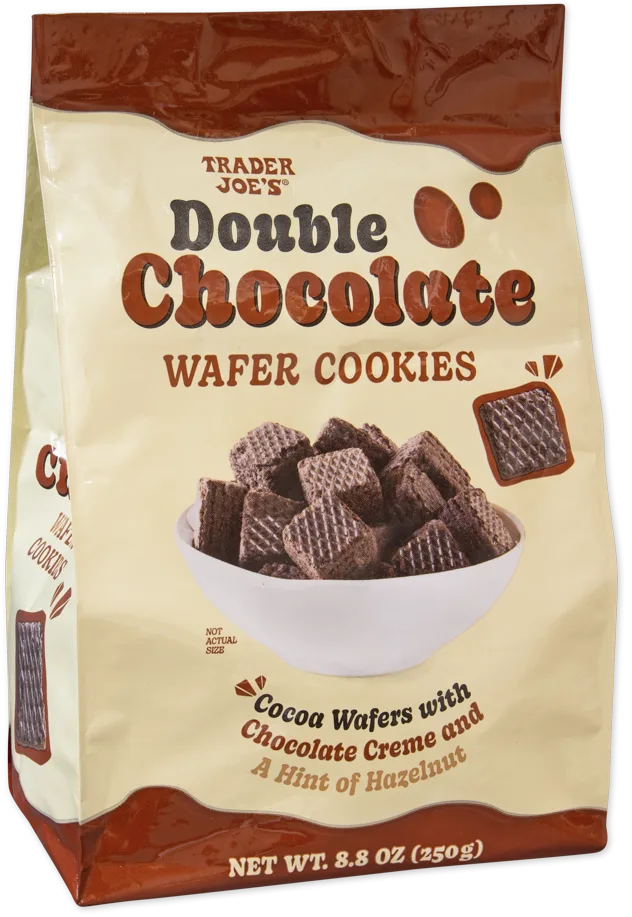
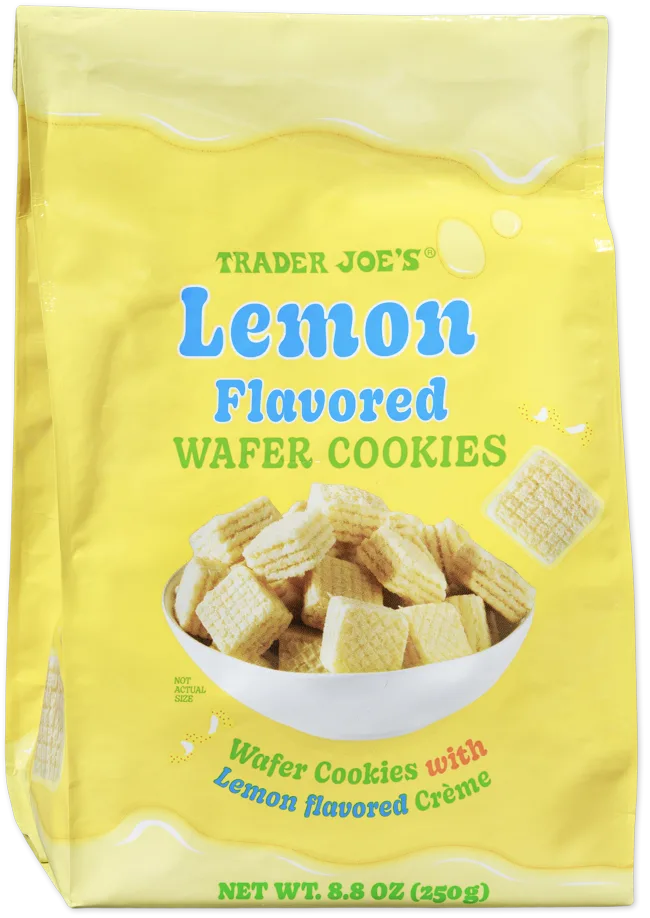
For a grocery product, the exact flavor often matters as much as the brand. Take one editor’s tasting of two Trader Joe’s cookies: Double Chocolate Wafer Cookies and Lemon Flavored Wafer Cookies have similar names, but different recorded reactions: “love” for chocolate and “like” for lemon. The lemon note adds “just too sweet.”
In the editor’s 16-item sweets list, chocolate is second and lemon sixth. A record called only “Trader Joe’s wafers” would lose that distinction.
| What you want to keep | A useful approach |
|---|---|
| Favorite restaurants | Beli’s stated restaurant-tracking purpose |
| Exact grocery products you enjoyed | Log and rank those products in finds |
| Something a friend recommends before you try it | Save the product as a future tasting |
| Why two similar flavors differ for you | Add a note to each exact product |
Which tool fits the task?
| Your task | Start here |
|---|---|
| Remember and share favorite restaurants | Beli's stated restaurant-tracking purpose |
| Remember which exact grocery product you liked | A personal note and ranking in finds |
| Keep a grocery recommendation for later | Save the exact product in finds before trying it |
| Track errands, household quantities or recipe ingredients | Your ordinary checklist |
For the grocery-trip routine, see using finds as a product shortlist. These are task distinctions, not a claim that either app replaces every list you keep.
What does ranking a grocery product look like?
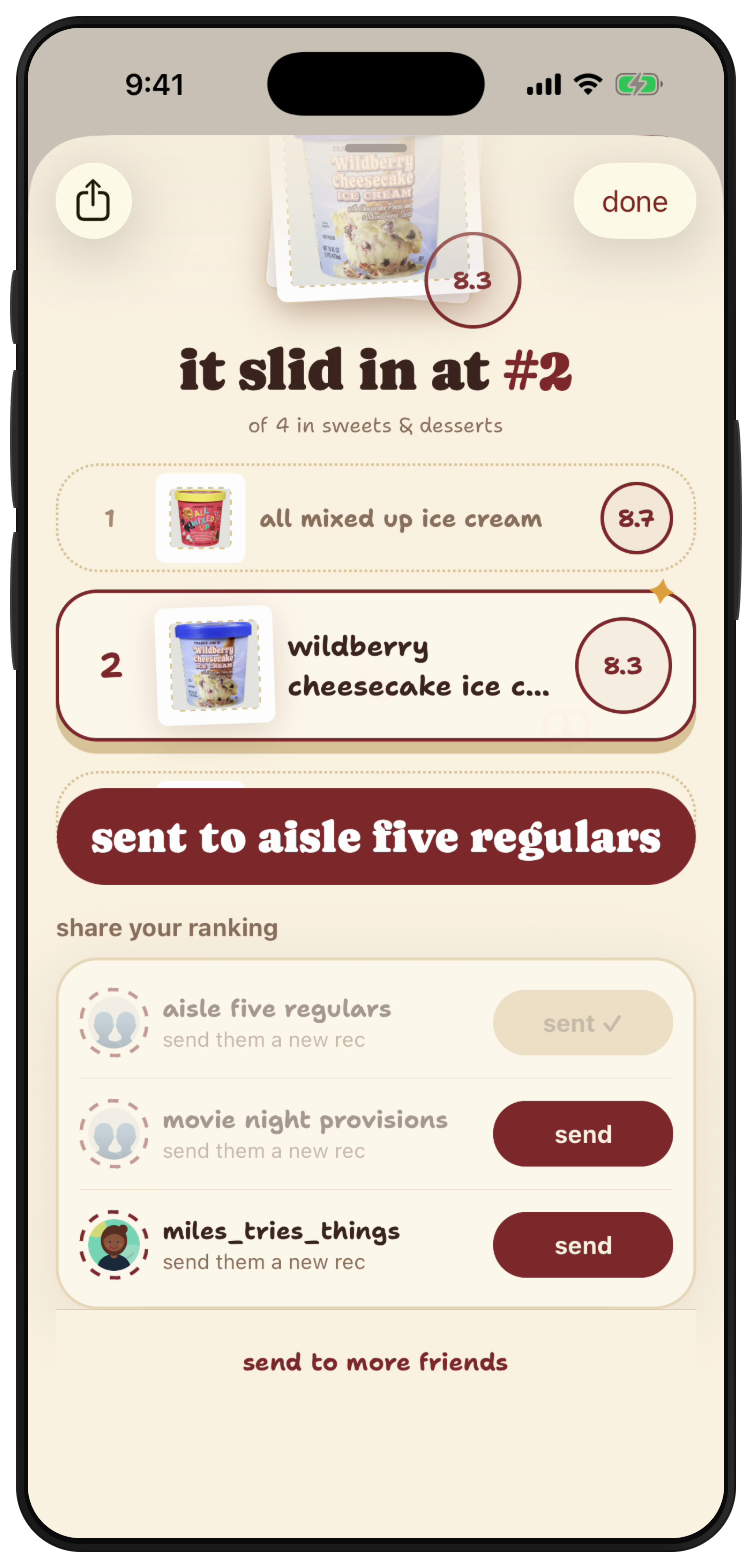
These native finds screens were captured September 10, 2026 using an example account. The names, notes and ice-cream ranks shown illustrate the flow; they are separate from our editor's personal tasting record above.
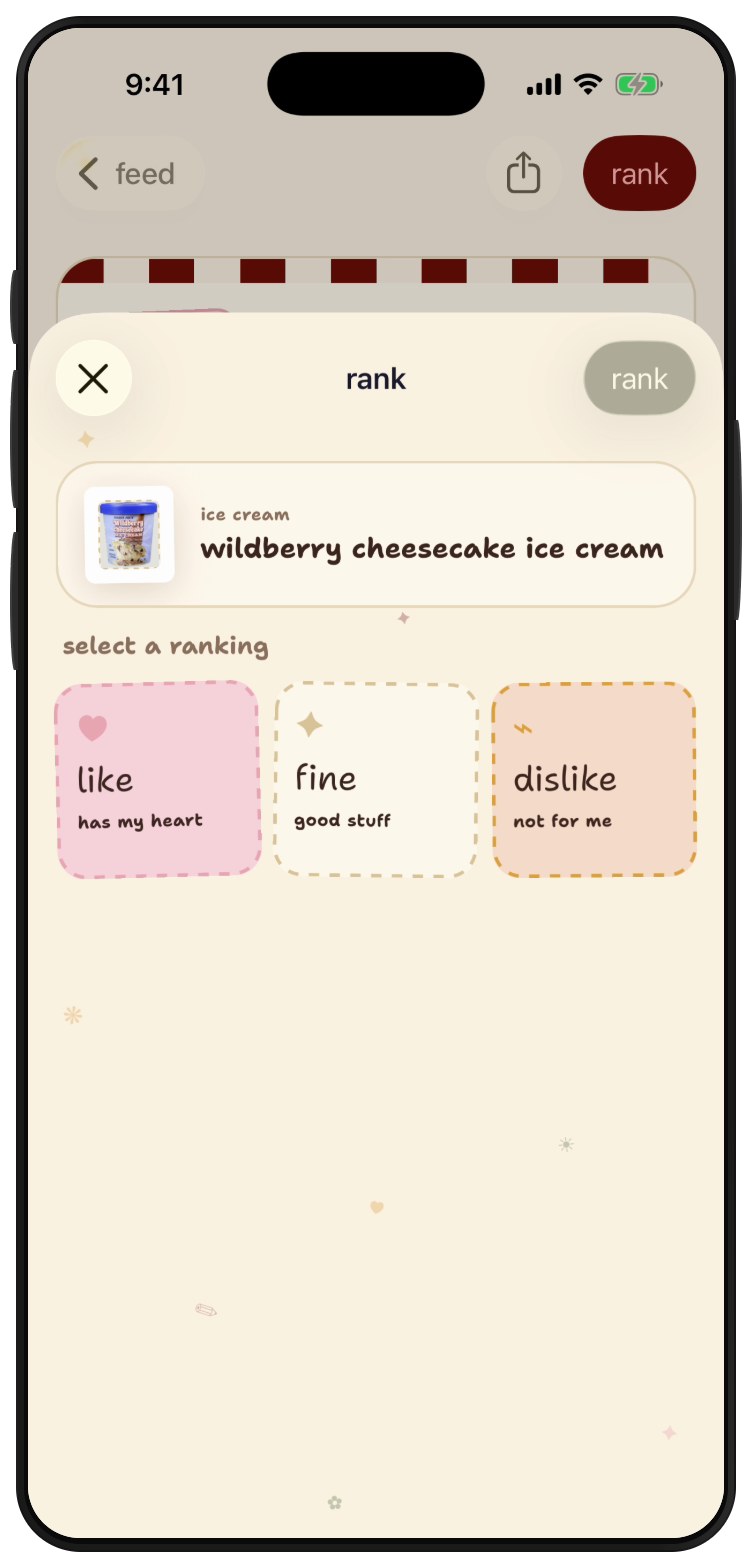
1. Choose the exact product and your reaction
Open the product you tried and tap to rank it. Here, the selected item is Wildberry Cheesecake Ice Cream. Choose like, fine or dislike based on your own taste.
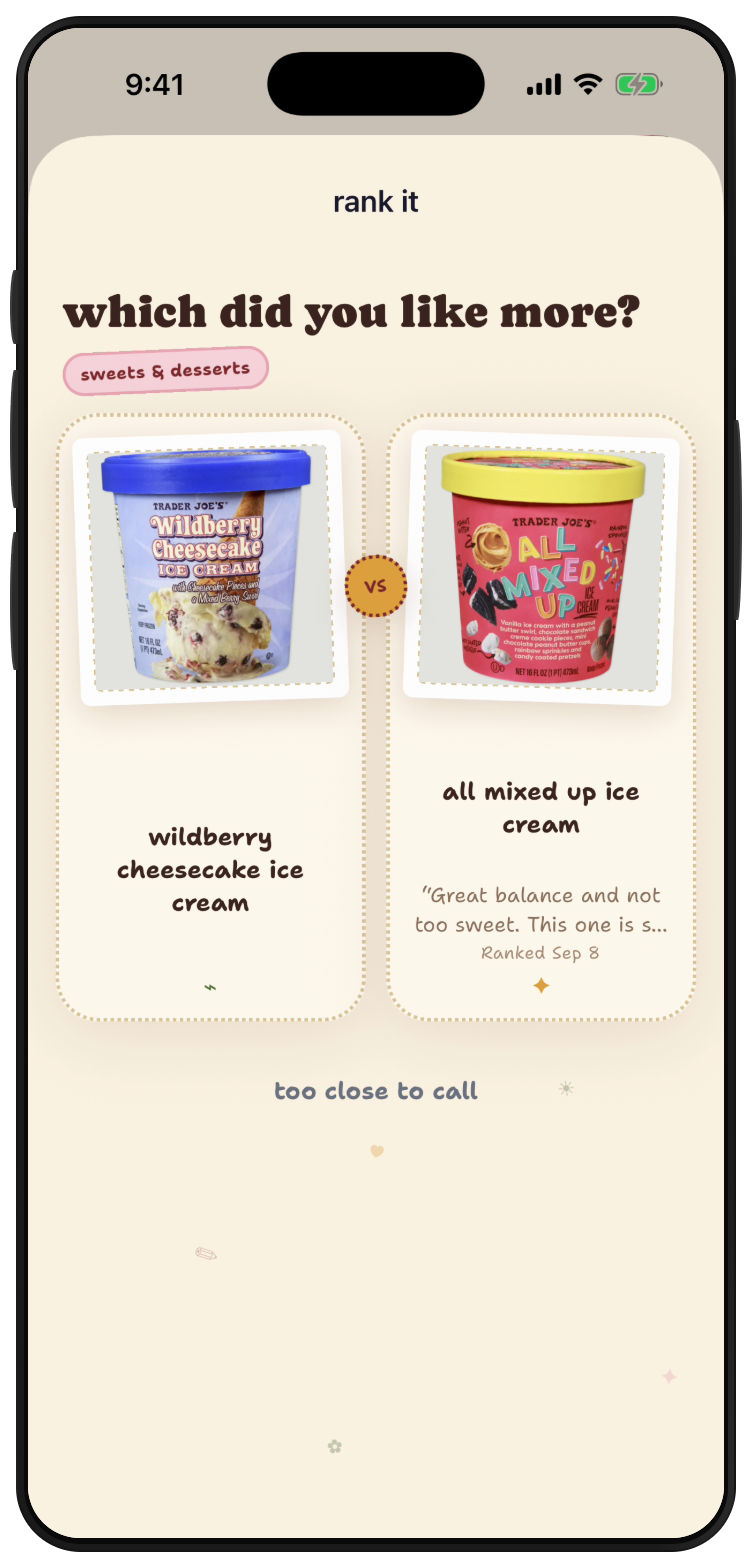
2. Compare it with a product you know
The app asks which of two products you liked more. Choose your preference, or use “too close to call” if you cannot separate them. Continue through the comparisons to complete the ranking.
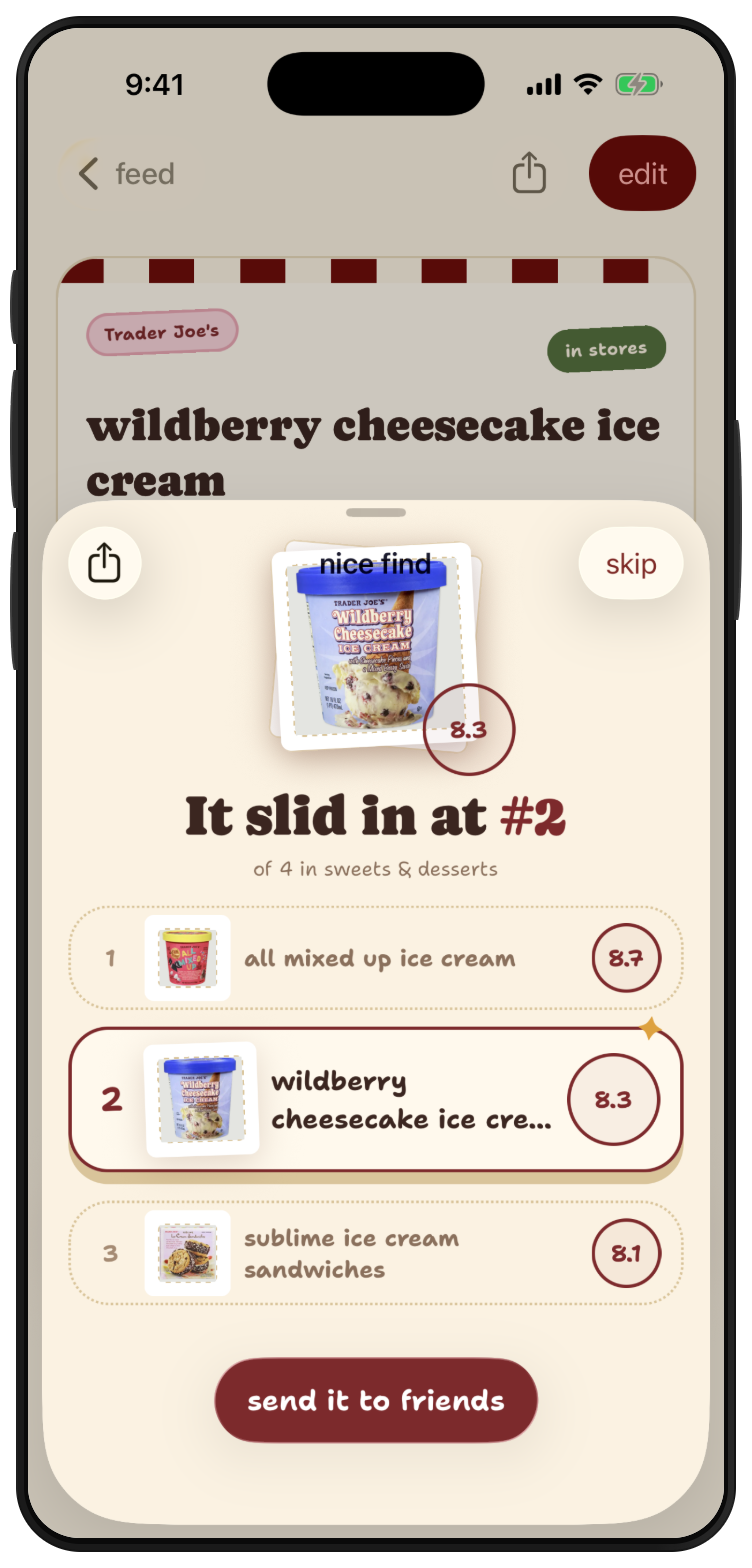
3. Read the completed rank
The result places this example ice cream second of four in Sweets & Desserts. It is a position in that account's list, not a community score or a verdict for every shopper.
4. Share the product
Use “send to friends” and choose a friend or group. The final screen shows a sent confirmation for an example group.
For more detail, follow how to rank products or how to share a recommendation.
What does finds let me do?
The finds App Store listing describes logging products, making comparisons, saving items and sharing with friends. A practical starting point is one category, such as cookies, rather than your entire shopping history.
Log known products first. Keep recommendations you have not tasted in the saved list. That makes it easier to distinguish your own favorites from something you saw someone else recommend.
Can I transfer my Beli list into finds?
This guide does not establish an import connection between the apps. A restaurant list also describes different objects from a grocery-product list. Start a product record using the exact items you want to remember.
For a walkthrough, see how to rank products. For the underlying habit, see remembering products you liked.
Personal reactions and ranks in this article come from one finds editor’s September 7, 2026 record. They describe that person’s preferences, not a community vote. Product facts come from the exact Trader Joe’s records checked that day. September 7, 2026: first publication, using the two apps’ own descriptions and an actual grocery-ranking example.
September 8, 2026 update: Added a task comparison for restaurant memories, grocery favorites and ordinary errands. Product sources were rechecked on September 8. Original tasting dates and personal attribution are unchanged.
September 10, 2026 update: Named finds, iOS, Trader Joe’s products and the save-then-rank action in the direct answer. Original tasting dates and personal ranking evidence are unchanged.
September 11, 2026: added four native app screens showing product selection, comparison, the completed rank and sharing. The example account is identified separately from the editor’s original tasting evidence.
More ways to keep snack recommendations useful
These guides focus on specialty CPG snacks and drinks across brands and stores. Choose the guide for the record you want to keep:
-
Pinterest versus finds: visual inspiration and exact-product histories.
-
Spreadsheet versus finds: a copyable tasting table and comparison-based ranking.
-
Organize snack screenshots: triage a camera roll into a small shortlist.
-
When two snacks are too close to rank: ties, occasions and uncertain memories.
-
Organize group-chat recommendations: save exact products and preserve who recommended them.
-
Discover new specialty CPG products: exact brands and flavors, sources and small first trials.
September 30, 2026: added links to six CPG comparison and task guides. Original tasting dates, ranks and native-capture dates remain unchanged.
Sources
- Trader Joe's official product record, SKU 074087, checked September 7, 2026
- Trader Joe's official product record, SKU 081574, checked September 7, 2026
- One finds editor’s actual tasting notes and personal category ranks, September 7, 2026 snapshot
- finds App Store listing, checked September 7, 2026
- Beli homepage, restaurant-tracking description checked September 7, 2026
- Exact selected product records rechecked September 8, 2026
- Original native finds captures from an example account, September 10, 2026; fixture names, notes and ranks illustrate app behavior